
Playing back a picture disc, Playing an mp3 disc, Mp3 screen elements – Samsung DVD-VR375A-XAA User Manual
Page 54: Playback
54_
playback
playback
Playing an MP3 Disc
Insert an MP3 disc into the disc tray.
The menu is displayed
Press the
▲▼ buttons to select Music, then press the ENTER button.
Press the
▲▼ buttons to select the track you want to hear, and then press the ENTER button.
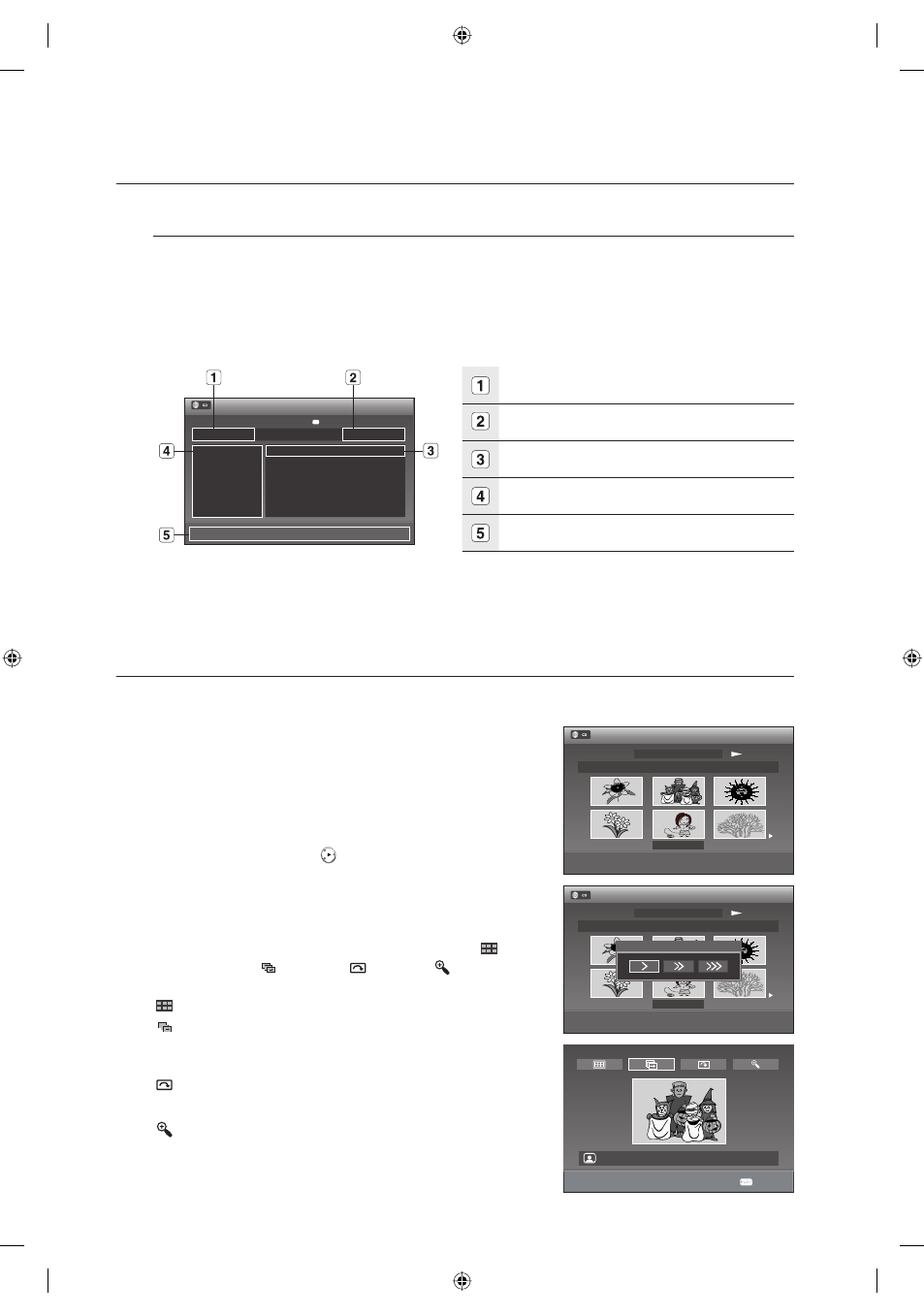
MP3 Screen Elements
Current track (song): Displays the number of the track
currently being played.
This shows the operating state of a disc and a playback time
corresponding to a portion that is currently played.
Displays the track list (song list).
Displays the current fi le.
Displays available buttons.
If select the Music, MP3 fi les will only be displayed.
If there are no MP3 fi les, empty folder will only be displayed.
PLAYING BACK A PICTURE DISC
G
Insert a JPEG Disc into the disc tray.
Press the
▲▼ buttons to select Photo, and then press the
ENTER button.
Press the
▲▼◄► buttons to select a picture.
To see the next 6 pictures, press the
$ button.
To see the previous 6 pictures, press the
# button.
4-1. If you press the PLAY (
) button, the Slide Show Speed
screen
will
appear.
Press the
◄► buttons to set the slide show speed, then press
the ENTER button.
4-2. Press the ENTER button with a picture selected in the Album
screen
and select a display mode (Album screen (
),
Slide show (
), Rotation (
) or Zoom (
)) using the
◄►
buttons, then press the ENTER button.
: Returns to the Album screen.
: The unit enters slide show mode.
Before the slide show begins, the picture interval (Slide show
speed) must be set.
: Each time the ENTER button is pressed, the picture rotates 90
degrees clockwise.
: Each time the ENTER button is pressed, the picture is enlarged
up to 4X(Four times the normal size).
1.
•
2.
3.
M
1.
2.
3.
•
•
>
Move
sEnter
rReturn
eExit
Music
12:00 AM
q♫ SONG01.MP3
♫ SONG02.MP3
♫ SONG03.MP3
♫ SONG04.MP3
♫ SONG05.MP3
♫ SONG06.MP3
Q SONG01.MP3 Play
00:00:19
E \
♫ 1/15
(
( )
) Surround : Off
<Adjust
sEnter
rReturn
Photo
12:00 AM
Slideshow
Picture 1 / 10
Page 1 / 2
Slideshow Speed
m
Move
sEnter
rReturn
Stop
Photo
12:00 AM
Slideshow
Picture 1 / 10
Page 1 / 2
beautiful 1
beautiful 1
<Move
sEnter
rReturn
Anykey
JPEG01.JPG
01613A-03-VR375-XAA-ENG.indb 54
01613A-03-VR375-XAA-ENG.indb 54
2008-06-11 오후 2:18:31
2008-06-11 오후 2:18:31