
Set top/cable box control, Brand code, English – Samsung DVD-VR375A-XAA User Manual
Page 41: System setup
English
_41
●
SYSTEM SETUP
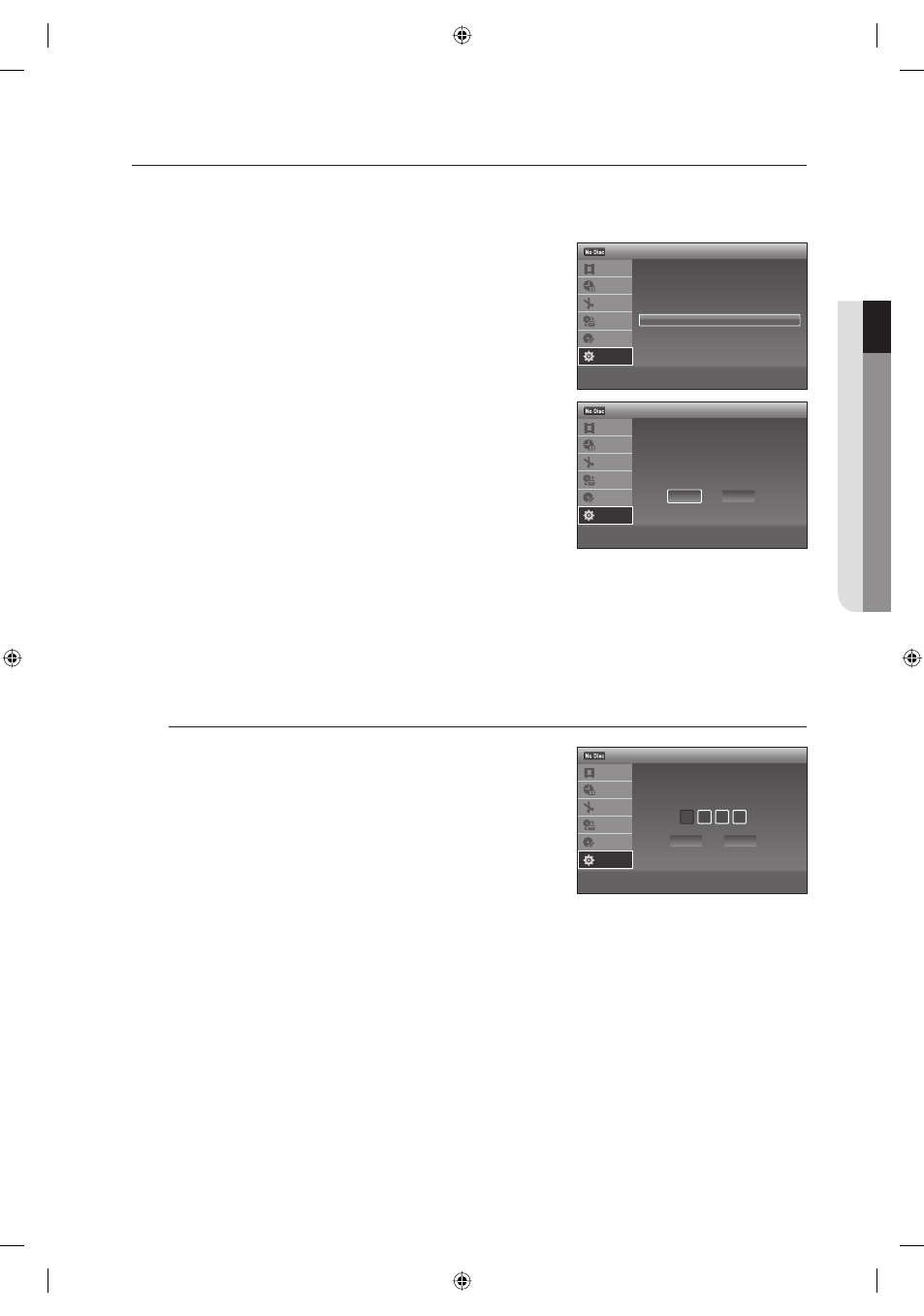
SET TOP/CABLE BOX CONTROL
If you have your Set top/Cable box or satellite receiver connected as shown on page 19, it can be controlled after
setting up this menu.
With the unit in Stop mode/No Disc mode, press the MENU
button.
Press the
▲▼ buttons to select Setup, then press the ENTER
button.
Press the
▲▼ buttons to select Features, then press the
ENTER
button.
Features menu will be displayed.
Press the
▲▼ buttons to select Set Top Box Control, then
press the ENTER
button.
Set Top Box Control menu will be displayed.
Press the
◄► buttons to select the desired item, then press the
ENTER button.
On : Turns on the set top/Cable box or satellite receiver control
function.
Off : Turns off the set top/Cable box or satellite receiver control
function.
Select this if you do not want to use the supplied set top box
controller (IR Blaster).
When "Set Top Box Control" is set to "On", you can make the settings shown on the next few pages.
Note that when you change "Set Top Box Control" to "On" or "Off", all timer recording settings will be canceled.
When the power is off, you cannot use the "Set Top Box Control".
Brand Code
Enter the brand code of your Set top/Cable box or satellite receiver
using the number buttons, then press the ENTER button.
(See "Set top/Cable box or Satellite Receiver Brand Code Table" on
pages 42~44.)
If you cannot get the recorder to control your Set top/Cable box or
satellite receiver, check the connection and position of the IR Blaster
cable.(page 19) If your Set top/Cable box or satellite receiver still does
not operate with this recorder, contact your cable company to see if they can provide you with a compatible Set top/
Cable box or satellite receiver.
This menu may not work depending on your Set top/Cable box or satellite receiver.
1.
2.
3.
4.
5.
•
•
M
M
>
Move
sEnter
rReturn
eExit
DVD Auto Chapter
: 5 Min
Format DVD-RW
: VR
EZ Record
: Off
VCR Function
Set Top Box Control
Anynet+ (HDMI CEC) : On
Language Follow
: On
12:00 AM
Features
Title List
Timer
Edit
Dubbing
Disc
Setting
Setup
>
Move
sEnter
rReturn
eExit
12:00 AM
Set Top Box Control
Title List
Timer
Edit
Dubbing
Disc
Setting
Setup
Select "On" to have this recorder
control your set top box.
(Changes to the current setting will
erase all timer settings.)
On
Off
0-9 Number
sEnter
rReturn
eExit
12:00 AM
Set Top Box Control
Title List
Timer
Edit
Dubbing
Disc
Setting
Setup
Enter the brand code of
your set top box.
OK
Cancel
01613A-03-VR375-XAA-ENG.indb 41
01613A-03-VR375-XAA-ENG.indb 41
2008-06-11 오후 2:18:13
2008-06-11 오후 2:18:13