
Vcr function setting, Tape length, Auto play – Samsung DVD-VR375A-XAA User Manual
Page 40: Auto repeat, System setup
40_
system setup
system setup
VCR FUNCTION SETTING
This function allows you to set up the VCR.
With the unit in Stop mode/No Disc mode, press the MENU button.
Press the
▲▼ buttons to select Setup, then press the ENTER button.
Press the
▲▼ buttons to select Features, then press the ENTER button.
Press the
▲▼ buttons to select VCR Function, then press the ENTER button.
Press the
▲▼ buttons to select the desired VCR option below, then press the ENTER button.
Press the
▲▼ buttons to select the desired item, then press the ENTER button.
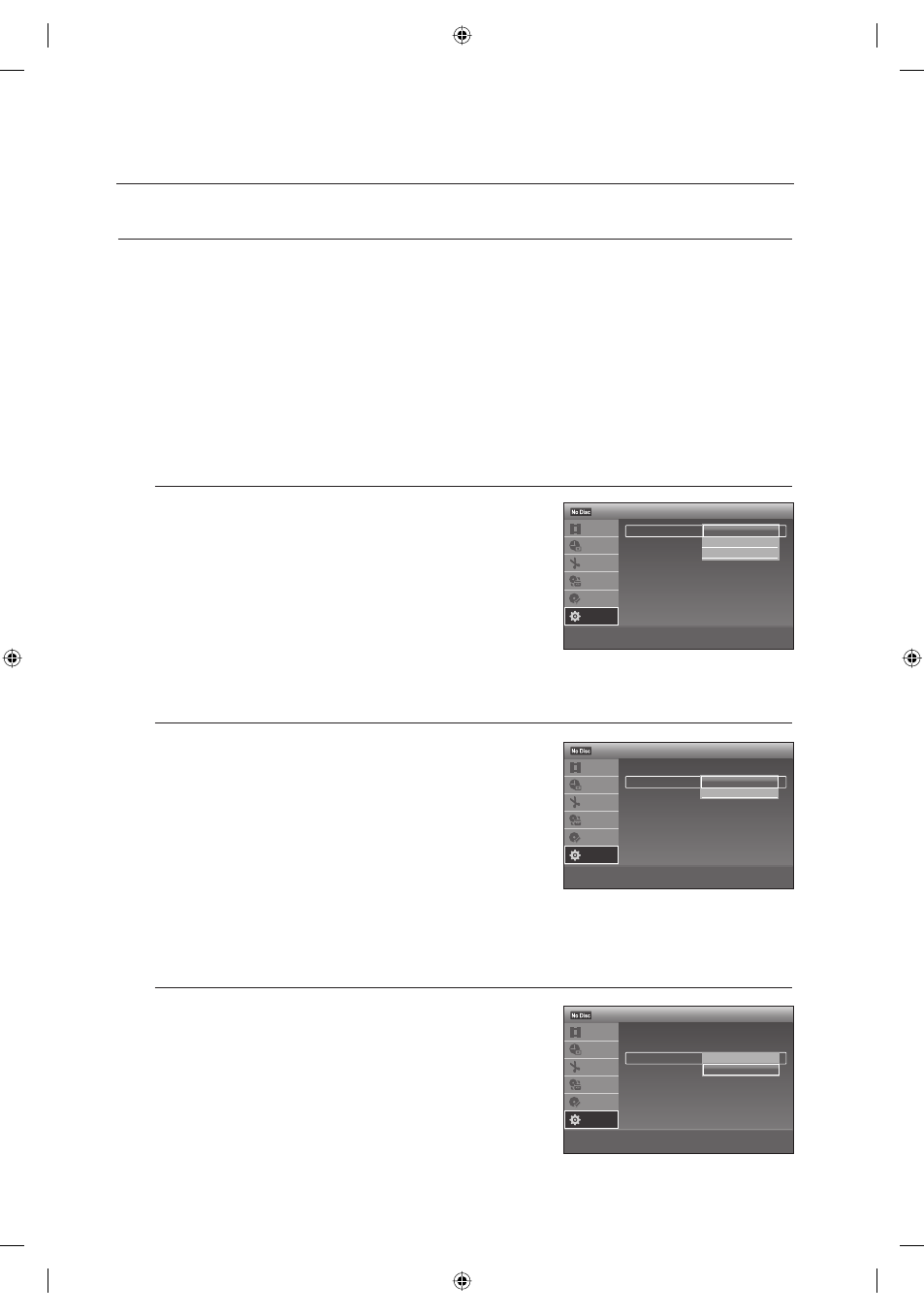
Tape Length
This information is usually printed on the tape box. The menu cycles
through : T120, T160, T180. Once the cassette type is set, the VCR
can display the amount of time remaining on the tape when you
press the INFO button.
Auto Play
If you want your videotapes to play automatically when you insert
them, turn on Auto Play.
On : The VCR will automatically begin playing a video tape
when it is inserted, as long as the safety tab of the
cassette has been removed.
Off : Auto play is disabled.
Auto Repeat
It sets the VCR to play a tape repeatedly (unless a tape control is
activated : Stop, Fast Forward or Rewind).
On
Off
1.
2.
3.
4.
5.
6.
•
•
•
•
>
Move
sEnter
rReturn
eExit
12:00 AM
VCR Function
Title List
Timer
Edit
Dubbing
Disc
Setting
Setup
Tape Length
: T120
Auto Play
: On
Auto Repeat
: Off
✔
T120
T160
T180
>
Move
sEnter
rReturn
eExit
12:00 AM
VCR Function
Title List
Timer
Edit
Dubbing
Disc
Setting
Setup
Tape Length
: T120
Auto Play
: On
Auto Repeat
: Off
✔
On
Off
>
Move
sEnter
rReturn
eExit
12:00 AM
VCR Function
Title List
Timer
Edit
Dubbing
Disc
Setting
Setup
Tape Length
: T120
Auto Play
: On
Auto Repeat
: OffOn
✔
Off
01613A-03-VR375-XAA-ENG.indb 40
01613A-03-VR375-XAA-ENG.indb 40
2008-06-11 오후 2:18:11
2008-06-11 오후 2:18:11