
Changing the password, Stb pass-through, Front display – Samsung DVD-VR375A-XAA User Manual
Page 39: Factory setting, English, System setup
English
_39
●
SYSTEM SETUP
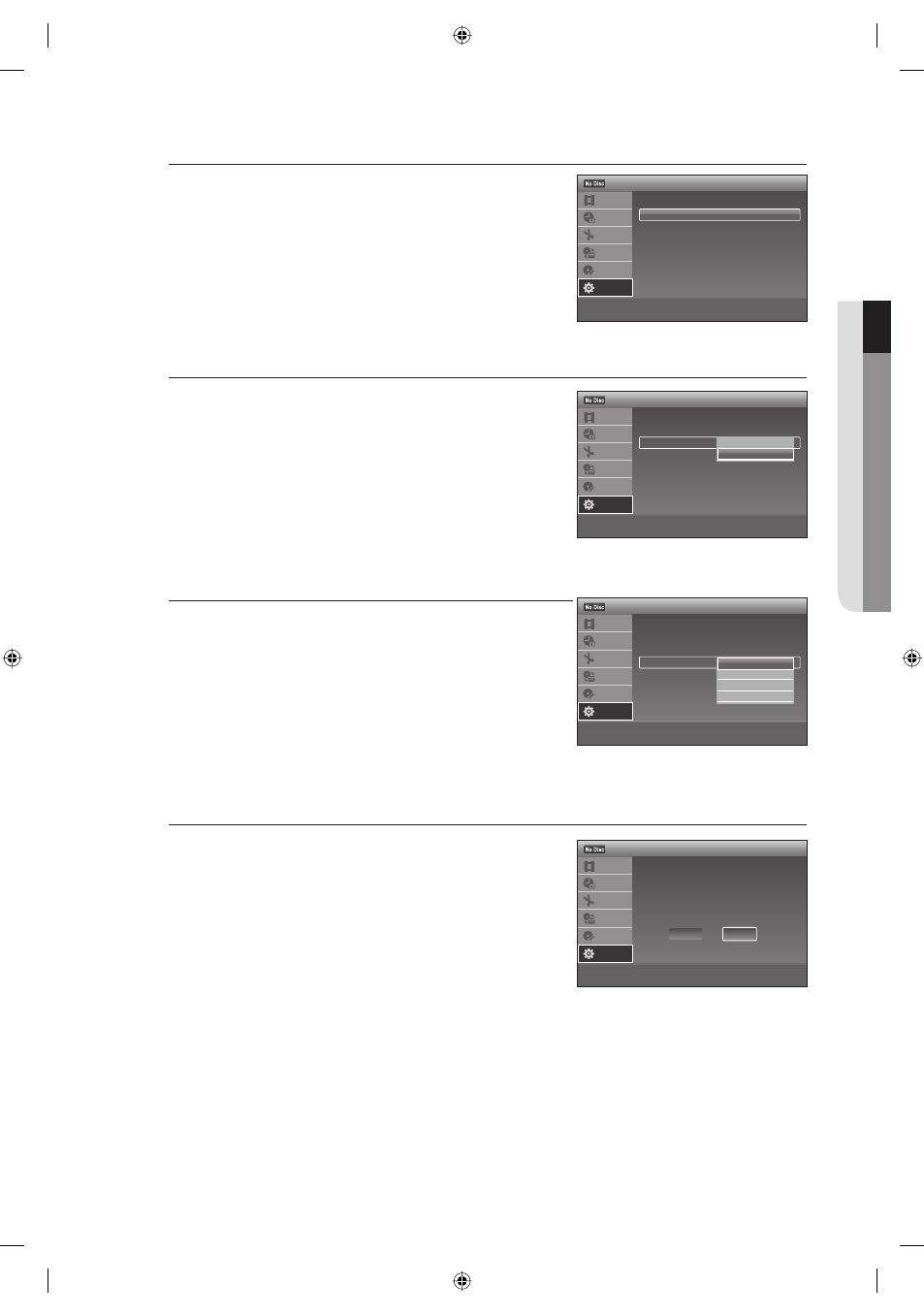
Changing the Password
Press the
▲▼ buttons to select Change Password, then press
the ENTER button. The "Enter your password" message will be
displayed.
Enter a new 4-digit password using the number buttons on the
remote control. The “Confi rm the password” message will be
displayed.
Enter your new password again using the number buttons on the
remote control.
STB Pass-Through
If you select STB Pass-Through "On", you can watch the output (that
is connected through AV1) of the Set top/Cable box or satellite
receiver using all outputs when the Recorder is powered off.
On : Allows audio/video signals input from the AV1 IN
(AUDIO/VIDEO) jacks to pass through to all output jacks
without turning on the recorder.
Off : No signals are sent when the recorder is turned off.
Front Display
Adjusts the lighting of the front panel display.
Auto : Adjusts to low lighting when power is off.
Bright : Maintains bright lighting when power is off.
Dimmer : Maintains low lighting regardless of whether power is
on or off.
Off : Turns off the lighting when power is off.
Maintains the lighting when power is on.
Factory Setting
Allows you to return the setup setting to their factory defaults.
All of your previous settings will be lost.
Press the
▲▼ buttons to select Factory Setting, then press the
ENTER button.
Select Start and press ENTER.
The setup settings return to their factory defaults.
Press ENTER when Finish appears.
1.
2.
3.
•
•
•
•
•
•
M
1.
2.
3.
>
Move
sEnter
rReturn
eExit
Rating Level
: Off
Change Password
12:00 AM
Parental
Title List
Timer
Edit
Dubbing
Disc
Setting
Setup
>
Move
sEnter
rReturn
eExit
Language
Parental
STB Pass-Through : Off
Front Display
: Auto
Factory Setting
12:00 AM
Options
Title List
Timer
Edit
Dubbing
Disc
Setting
Setup
✔
Auto
Bright
Dimmer
Off
>
Move
sEnter
rReturn
eExit
Language
Parental
STB Pass-Through : Off
Front Display
: Auto
Factory Setting
12:00 AM
Options
Title List
Timer
Edit
Dubbing
Disc
Setting
Setup
On
✔
Off
>
Move
sEnter
rReturn
eExit
12:00 AM
Factory Setting
Title List
Timer
Edit
Dubbing
Disc
Setting
Setup
Setup will be
reset to the factory settings.
Cancel
Start
01613A-03-VR375-XAA-ENG.indb 39
01613A-03-VR375-XAA-ENG.indb 39
2008-06-11 오후 2:18:09
2008-06-11 오후 2:18:09