
Removing the cpu fan – Acer 7230 User Manual
Page 96
86
Chapter 3
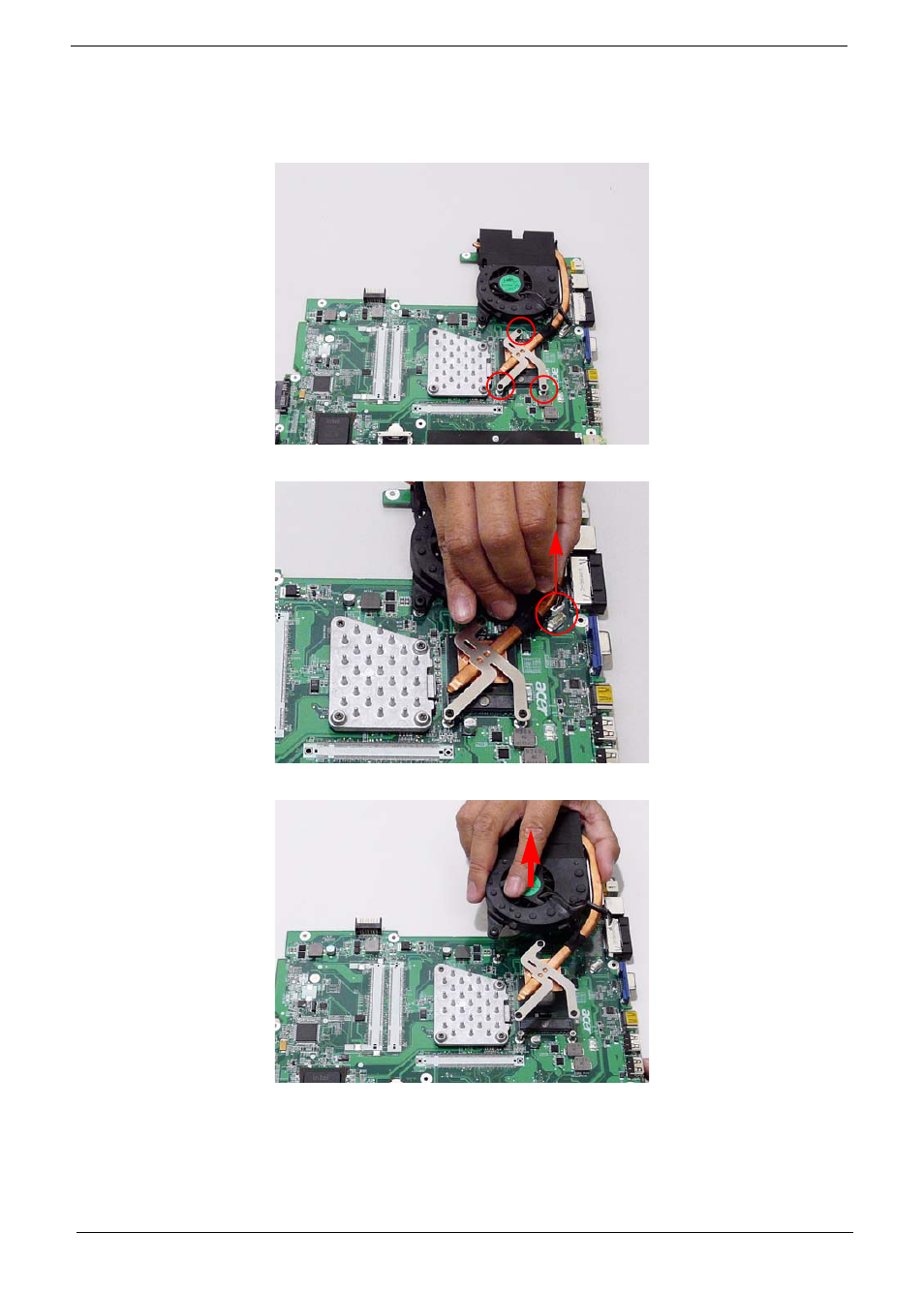
Removing the CPU Fan
1. Remove the Mainboard. See “Removing the Mainboard” on page 84.
2. Loosen the three captive screws.
3. Disconnect the Fan cable from the mainboard.
4. Lift the Fan module clear of the mainboard.
This manual is related to the following products: