
Roberts Radio 997 User Manual
Page 9
If you need any further advice, please call our Technical Helpline on :-
020 8758 0338 (Mon-Fri)
8
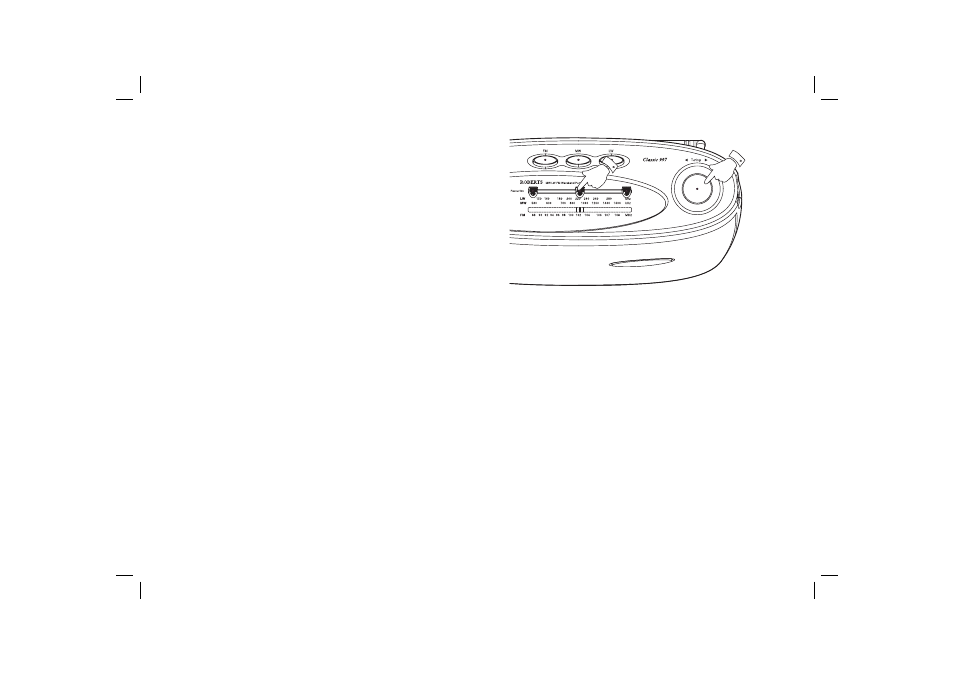
Favourite station markers
Your radio is fi tted with 3 favourite station markers which allow up to 3
stations to be quickly located.
1. Tune into the required station.
2. Position one of the markers so that it appears on top of the dial pointer.
Whenever you wish to return to that station simply line up the dial
pointer with the corresponding marker.
3. Repeat the above procedure for the 2 remaining favourite station
markers.
2
1
See also other documents in the category Roberts Radio Recorders:
- R9927 (12 pages)
- R9995 (28 pages)
- RP16 (8 pages)
- R9999 (24 pages)
- RD-25 (24 pages)
- WM201 (64 pages)
- R9988 (28 pages)
- All Weather Radio R9965 (12 pages)
- R9903 (8 pages)
- SolarDAB Solar Powered DAB Radio (20 pages)
- ecologic1 (28 pages)
- Revwal (8 pages)
- RD-41 (64 pages)
- Classic DAB (24 pages)
- R9947 (28 pages)
- unologic (28 pages)
- Ecologic 3 (24 pages)
- R761 (12 pages)
- R9928 (12 pages)
- R9914 (56 pages)
- R9958 (24 pages)
- R9962 (12 pages)
- R9993 (8 pages)
- ClassicLite (28 pages)
- WiFi Internet Radio WM-202 (72 pages)
- 996 (12 pages)
- FM RDS/DAB Digital Personal Radio RD14 (32 pages)
- R9921 (28 pages)
- Multi-Powered 2 Band Radio R9957 (12 pages)
- RP28 (7 pages)
- R250 (8 pages)
- R9966 (12 pages)
- R983 (20 pages)
- FM RDS/DAB Digital Radio RD-50 (20 pages)
- ecologic 2 (28 pages)
- Analogue World Radio R9968 (20 pages)
- The Digital Radio Collection (8 pages)
- R9954 (12 pages)
- FM RDS/DAB Digital Radio RD-50CFM (20 pages)
- R876 (68 pages)